

Indoor Playgrounds & Play Centres
The Best Play Sessions Start Before You Arrive
Indoor playgrounds live and die by the experience on the floor. SKEQ helps operators manage capacity transparently — so families can see how busy a session will be before they book, and every child gets the space to play the way the venue was designed for.
The Experience Starts Falling Apart Long Before Anyone Complains
Families arrive with no idea how crowded it will be
Most indoor playgrounds give customers no visibility into how busy a session is before they show up. A parent arriving with five children has no way of knowing whether they're walking into a quiet morning or a packed floor — until they're already there. The result is frustration, shortened visits, and the slow erosion of trust in a venue that could have managed expectations with a single number. The same parent, given real capacity data, might have chosen a quieter window
Birthday parties and regular visitors competing for the same floor
Birthday parties are among the most profitable bookings an indoor playground takes. But party guests don't stay in the cake room — they spill onto the playground floor, and regular visitors who booked that session suddenly find themselves sharing space with twenty extra children nobody told them about. Without a system that accounts for party headcounts within the same capacity limit, operators are inadvertently double-selling the floor and degrading the experience for everyone on it.
Pricing that requires a phone call to decode
Weekday rates, weekend rates, school holiday pricing, public holiday surcharges — indoor playgrounds often run several different price points across the week. When that information lives on a static rate card or buried in a FAQ, customers can't easily tell what they'll pay for the slot they want. The ones who can't figure it out call the hotline. The ones who don't bother, don't book.
Store credits that exist in a system customers can't see
Many indoor playgrounds sell credit packages or memberships to encourage repeat visits. But when those credits live in a back-office system the customer has no access to, they forget their balance, forget to use their card, and let credits expire without realising. Renewals aren't prompted. The package that was meant to drive loyalty quietly lapses — and the customer drifts away without ever being reminded they had value sitting unused.
How SKEQ Supports Indoor Playgrounds
Set the Floor Limit — and Let the System Hold It
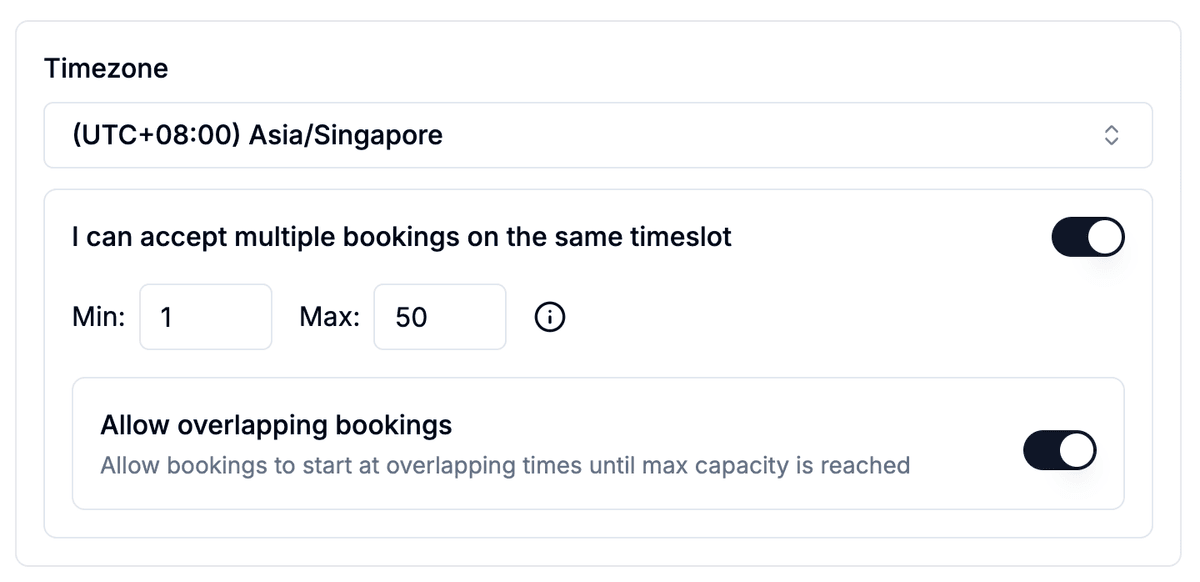
Every playground has a number — the headcount at which the space feels right and children have room to move. Beyond that number, the experience degrades. SKEQ's multiple bookings setting lets operators define that limit and enforce it automatically across every session. Set the minimum to one and the maximum to the floor's comfortable capacity. As families book in, SKEQ tallies the headcount in real time — closing the session once the limit is reached and showing remaining availability to anyone still browsing. Families can see exactly how full a session is before they commit, and operators never have to turn anyone away at the door.
Every Family Books Independently From the Full Menu
With overlapping bookings enabled, each family that books a session sees and selects from the complete set of options — session type, duration, add-ons — independently of whoever else has already booked the same slot. No selections are inherited or restricted based on prior bookings. This works in tandem with the capacity cap from feature #1. Each booking contributes its headcount toward the session limit — once that limit is reached, the slot closes. Until then, every family gets the full booking experience as if they were the first to book.
The Right Price on Every Slot — No Decoding Required
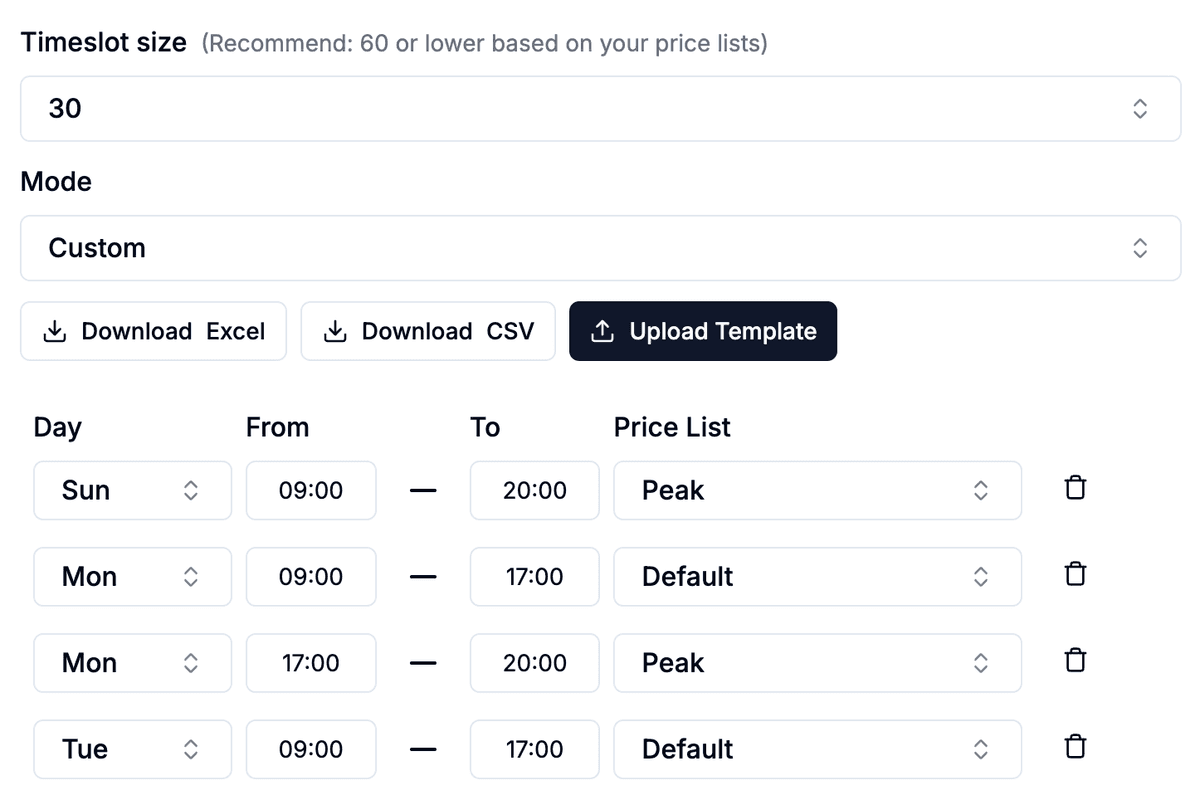
SKEQ lets operators build separate price lists for each pricing scenario — weekday off-peak, weekend peak, school holidays, public holidays — and assign each one directly to the relevant slots. Families see one clear price for the session they want, with no rate card to cross-reference and no call needed to confirm. Where SKEQ handles something most platforms can't, is sessions that cross a pricing boundary. A family booking from 5pm to 7pm — where 5pm to 6pm is off-peak and 6pm to 7pm is peak — gets a single booking correctly priced across both windows. The right total is calculated automatically, without the family having to make two separate bookings or the operator having to explain the split.
Sell the Full Visit Before They Walk Through the Door
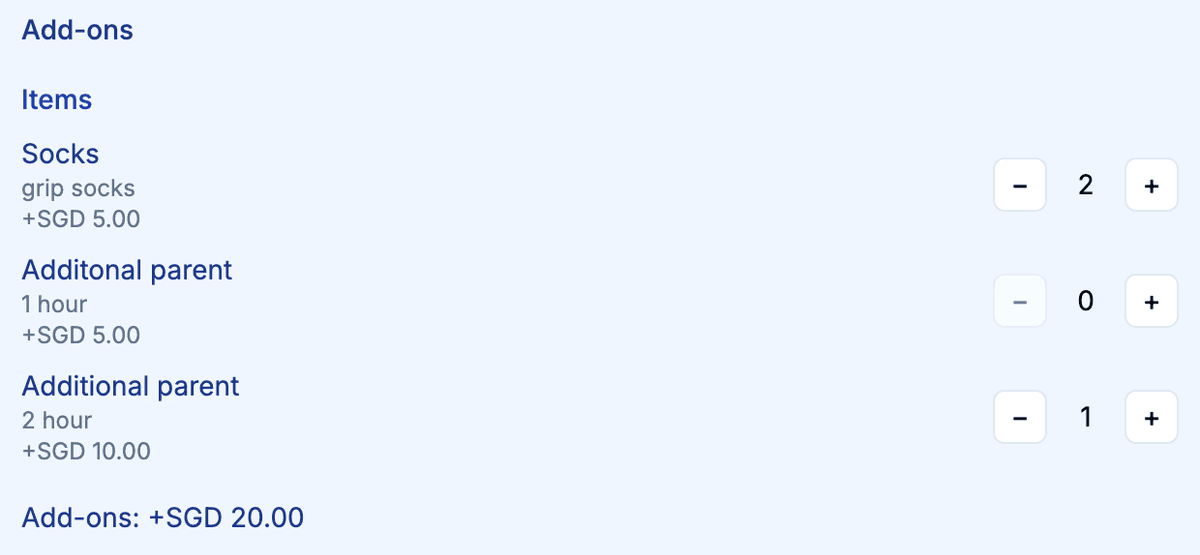
Every playground visit involves more than just entry — socks, a supervising adult, a meal after the session. When those extras are only available at the counter, families queue, staff get held up, and the start of the visit loses its momentum. Collecting it all at booking keeps the door moving and lifts revenue per visit without any extra effort on the day. SKEQ's supplements and add-ons feature lets operators offer selectable extras during the booking flow — grip socks, adult supervisor entry, meal vouchers, or any other purchase the venue wants to surface upfront. Each add-on is priced and reflected in the booking total before confirmation.
Safety Rules Agreed Before Anyone Steps on the Floor
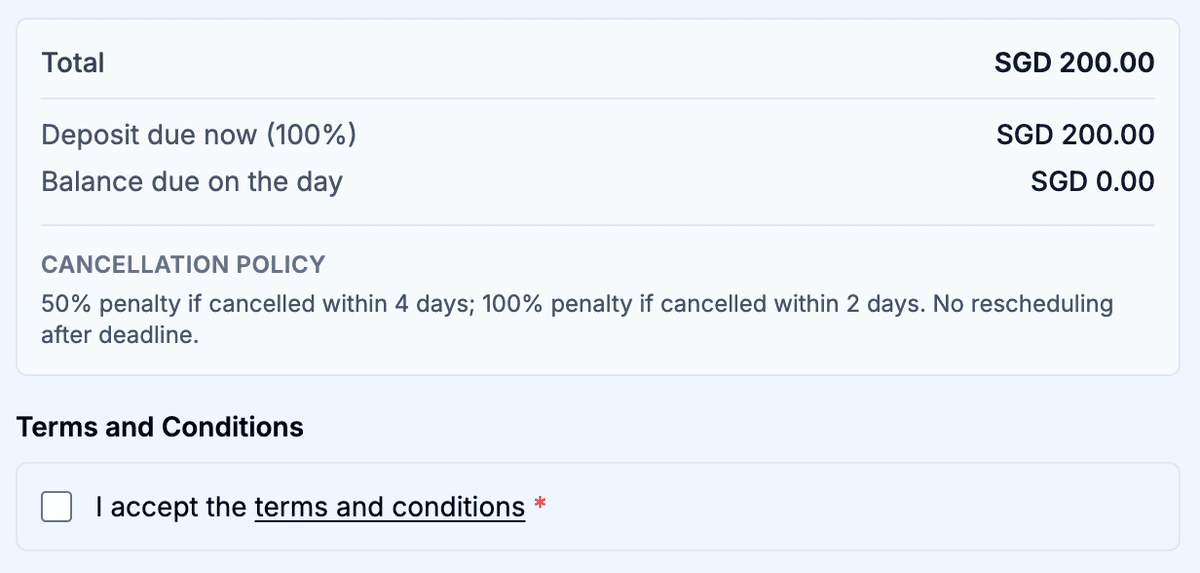
Indoor playgrounds carry a level of responsibility that most other venues don't. Age limits, height restrictions, supervision requirements, liability waivers — these aren't administrative formalities, they're the rules that keep children safe. When consent is collected at the door in a busy session, it gets rushed, missed, or waved through under pressure. SKEQ lets operators attach terms and conditions directly to the booking flow. Parents read and accept the rules before the booking confirms — at home, without a queue behind them and a child pulling at their sleeve. By the time the family arrives, consent is on record and the session can begin without delay.
Keep a Human in the Loop
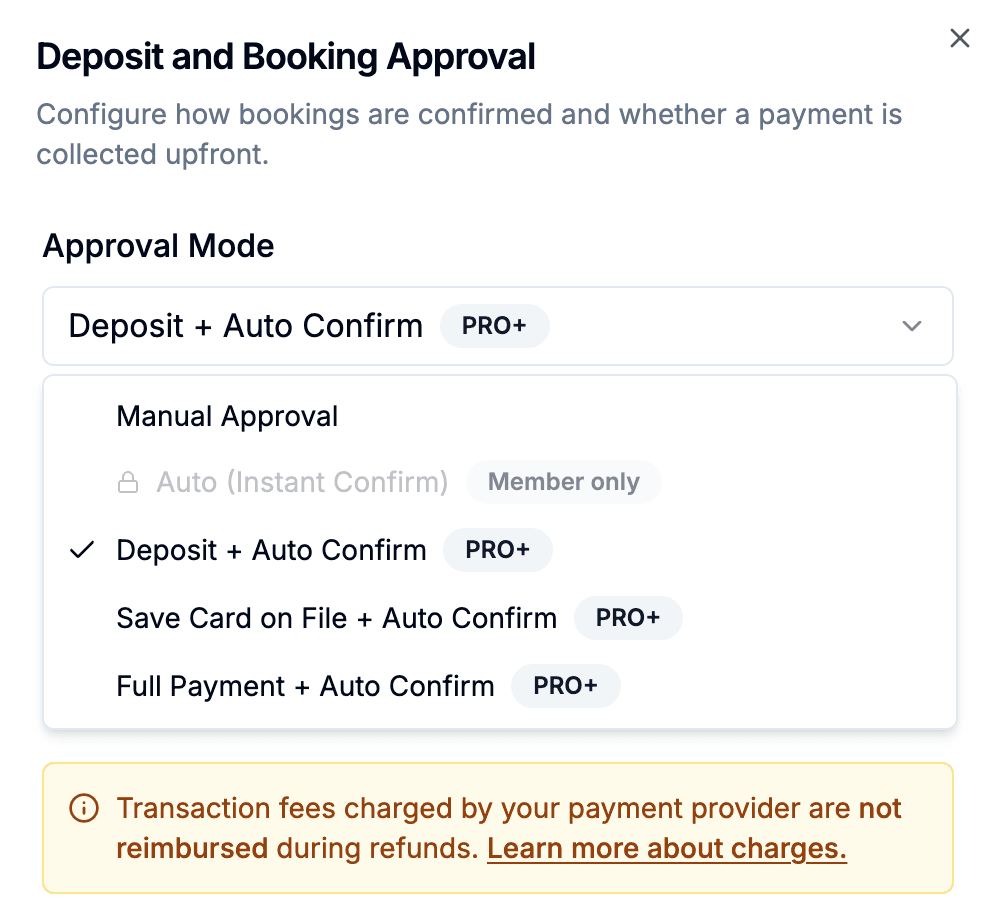
By default, SKEQ sets bookings to manual approval — and for indoor playgrounds, we recommend leaving it exactly there. Most venues operate on the expectation that payment happens on the day, after the family has seen the space and decided to commit. Collecting a deposit or full payment upfront closes off the moment when a parent, impressed by the venue, would naturally choose to buy into a credit package instead. Manual approval keeps that window open. The booking is confirmed, the slot is held, and payment — along with the conversation about packages — happens in person where it lands best. If deposit-based auto-approval becomes a better fit as the venue scales, that option is available as a Pro feature.
A Dedicated Calendar for Birthday Bookings — Visible Six Months Out
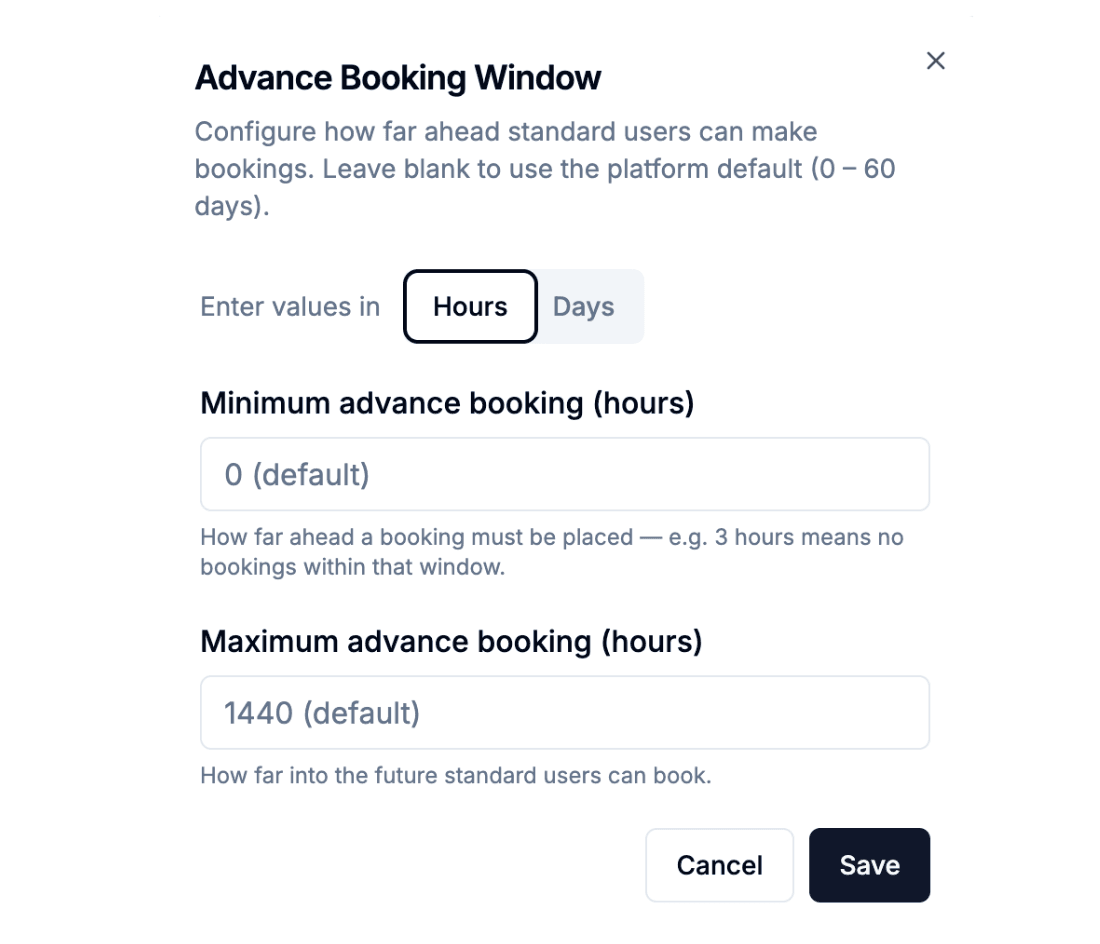
Parents planning a birthday party don't browse the way regular visitors do. They have a date in mind, a headcount to work around, and often weeks of planning ahead of them. Mixing birthday enquiries into the same calendar as general floor bookings creates friction for both — parents can't see far enough ahead, and staff spend time fielding calls that a well-configured calendar would answer automatically. Give each function room its own calendar with an advance booking window set from 1 day to 180 days. Parents can browse availability months ahead, see exactly which dates and times are open, and book without a single back-and-forth call. The main floor calendar stays set to 3 hours to 30 days — giving time for operators to factor in birthday bookings
Lock In Loyalty and Keep the Cashflow Predictable
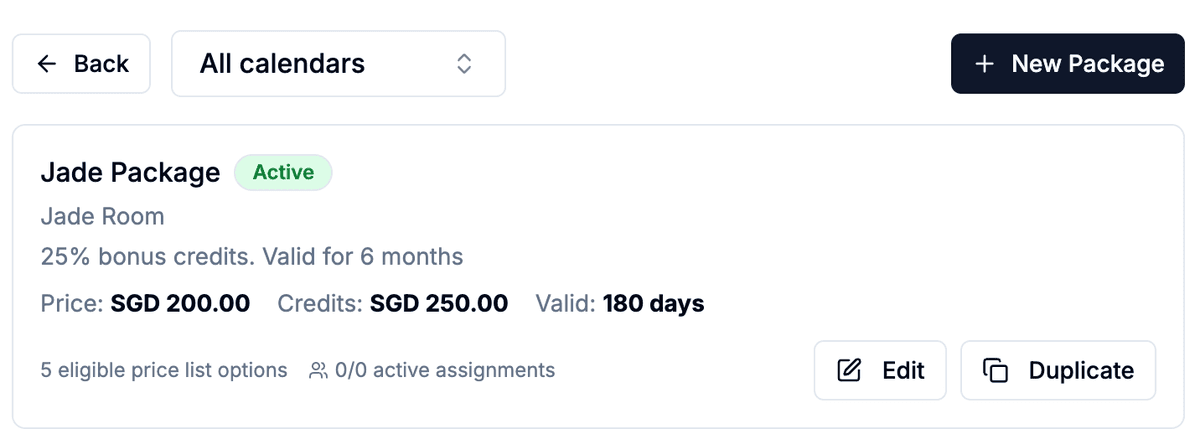
Credit packages are one of the most effective tools an indoor playground has for securing repeat business. A family that buys a package has committed to coming back — and the revenue is collected upfront, before they've even booked the next session. SKEQ's packages feature is built to keep that cycle running without operators having to chase it manually. The most valuable configuration is the renewal prompt — automatically triggered as a customer's credit balance drops low or their expiry date approaches. Customers renew before they lapse, cashflow stays consistent, and the operator never has to remember to follow up. Packages can also be configured with carry-over credits for unused balances, restricted to specific session types, and made visible in the customer's account so they can track spend and pre-book their next visit directly — removing the friction that causes families to quietly drift away.
One Page for the Full Venue, One Team to Manage It
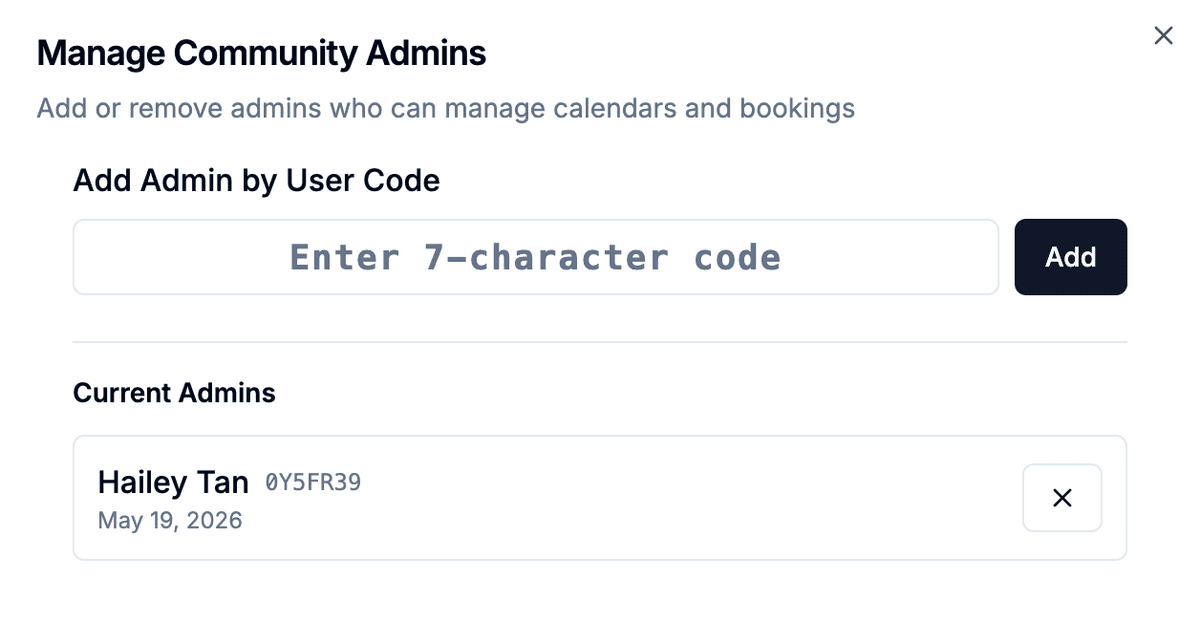
Group all your calendars — the main floor, the function rooms, any specialist sessions — under a single SKEQ community. Families visiting the venue page get the full picture in one place: what's available, when, and at what price. No hunting across separate links, no calling to ask what's on. Manual approval keeps the operator in control but adds admin overhead — particularly when birthday bookings and general sessions are running alongside each other. Assigning a co-admin means a staff member can handle approvals, respond to booking queries, and keep the queue moving without everything routing through the owner. The venue stays responsive without the owner being the bottleneck.
Ready to protect the experience that keeps families coming back?
Get your first calendar live for free — set your capacity, configure your sessions, and share your booking link. Advanced features for credit renewals, supplements and terms are there when your venue is ready for them. No credit card needed.