Shared Spaces Are Hard to Sell Without the Right Tools
Customers can't see what space is actually left for their slot
A LAN shop or board game room isn't booked out in one go — it fills up gradually across overlapping sessions. A group of five booked from 3pm to 4pm doesn't block the room; it just reduces what's available during that window. The next customer wanting to book from 2pm to 4pm can bring ten people for the first hour but only five for the second. Most booking platforms have no way to surface that nuance. Customers either see the room as fully available or fully blocked — and operators are left managing the gaps manually.
No visibility into what each group needs before they arrive
When multiple groups book the same space at the same time, preparation becomes everything. Board game cafes run with limited sets — knowing which games each group wants to play means tables can be set, games reserved, drinks and snacks ready before anyone walks in. Without that information collected at the point of booking, staff are scrambling at the door, game sets get double-allocated, and the experience suffers in the first five minutes.
Pricing rules too complex to communicate, let alone enforce
Off-peak discounts, weekend premiums, third-hour deals, book-before-6pm rates — the pricing logic at most gaming venues is genuinely hard to follow. Customers squint at rate cards trying to calculate what they'll actually pay. Staff field the same questions repeatedly. And the right price often depends on when the customer is booking, not just when they're coming in. Operators know the logic; the problem is that no booking platform makes it easy to encode it properly.
Walk-ins left guessing how long they'll wait
Walk-in customers are part of the lifeblood of a gaming venue — but without real-time availability visible to staff, the answer to "when's the next opening?" is too often a shrug. Customers who can't get a clear answer leave. Those who stay and wait without knowing how long lose patience. A venue that can tell a walk-in exactly when a seat opens — and for how many people — turns uncertainty into a manageable wait.
Turning up to a closed venue nobody told you about
Corporate buyouts and birthday bookings are good revenue — but they're invisible to everyone else until it's too late. Customers travel to the venue, find it closed for a private event, and head home frustrated. The lucky ones catch a Facebook post and do the mental arithmetic of whether their intended visit falls inside the blocked window. Most don't bother. When private event availability lives only on social media, operators win the booking and quietly lose the walk-in customers who didn't get the memo.
How SKEQ Supports LAN Shops and Board Game Rooms
Set Up Your Venue the Way It Actually Works
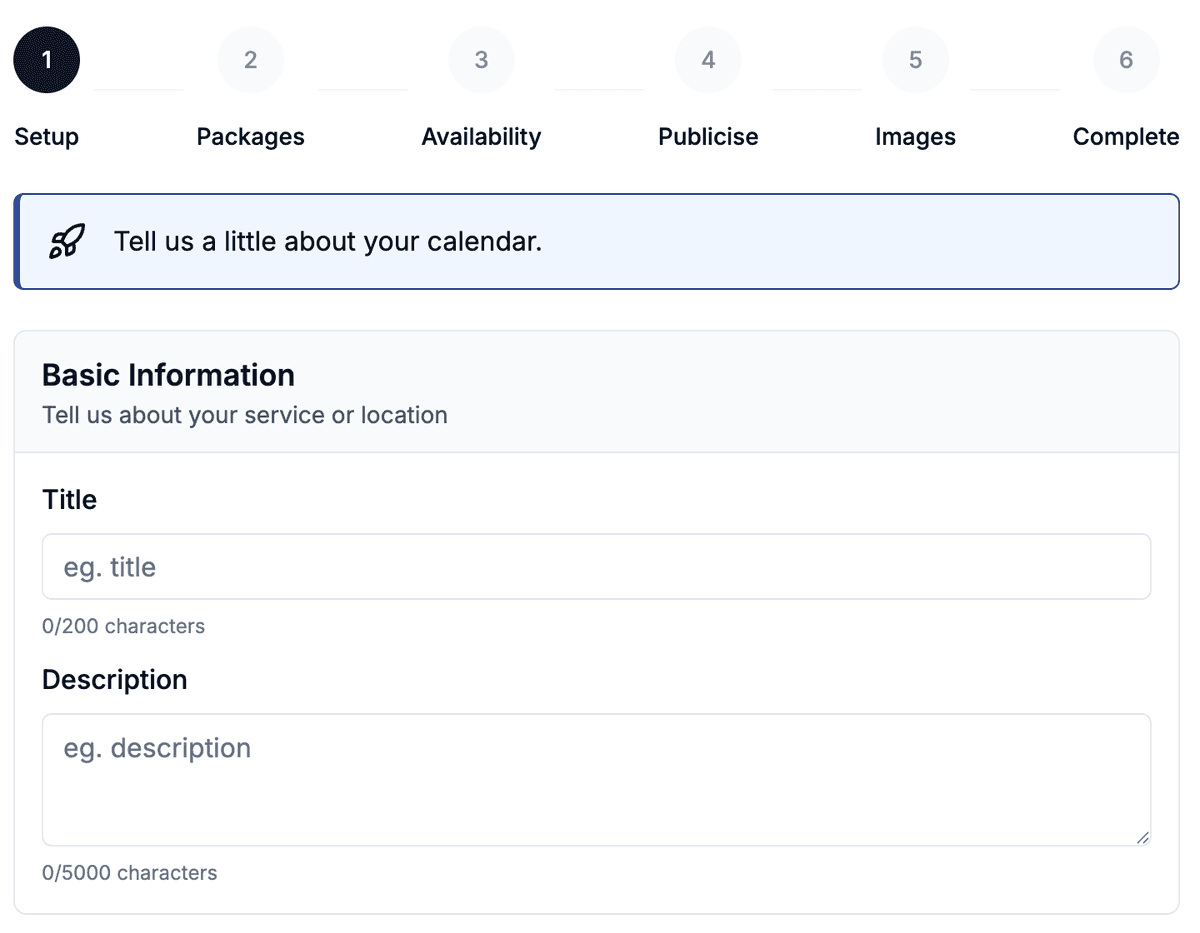
Not every gaming venue is built the same way, and SKEQ doesn't assume it is. The setup follows the shape of the space — one calendar for a single hall, multiple calendars grouped under a community for venues with separate rooms or floors. Start with a single calendar and add rooms as the venue grows. The setup scales without needing to start over.
Setting capacity limits
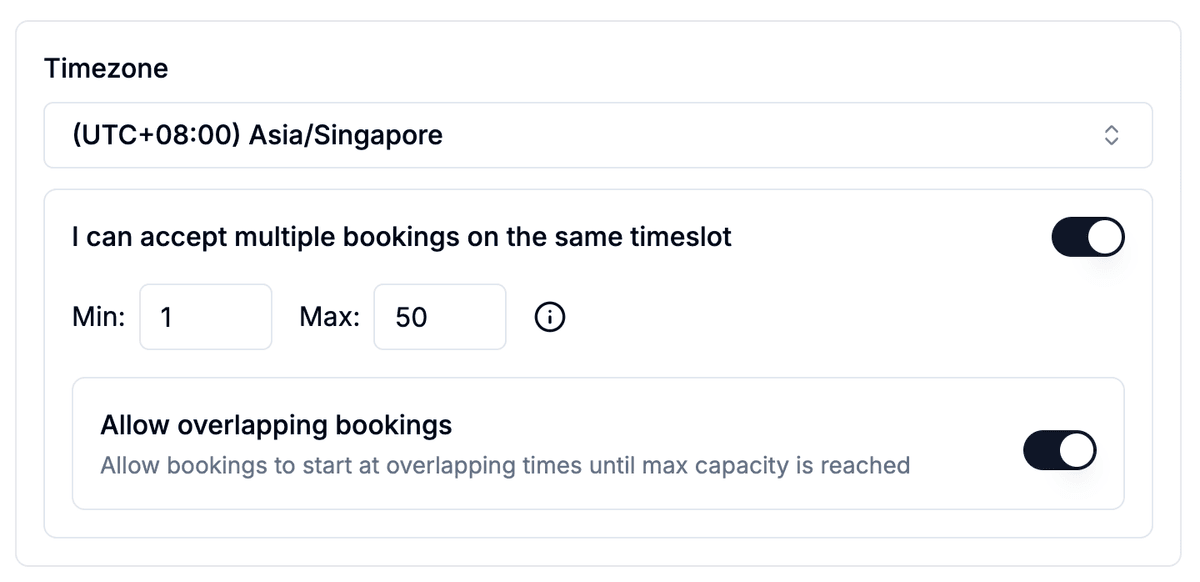
Set minimum pax to 1 and maximum to your room's total seating capacity. SKEQ handles the rest — tallying headcount across overlapping bookings so the room never exceeds what it can hold.
Every Group Books Independently, From the Full Menu
In a shared gaming venue, groups arrive together but book separately. Each party has its own duration, its own headcount, and its own selections. Allowing overlapping bookings means each group gets the full price list for their chosen slot — they're not constrained by what another group already picked
The Right Price at each the Slot
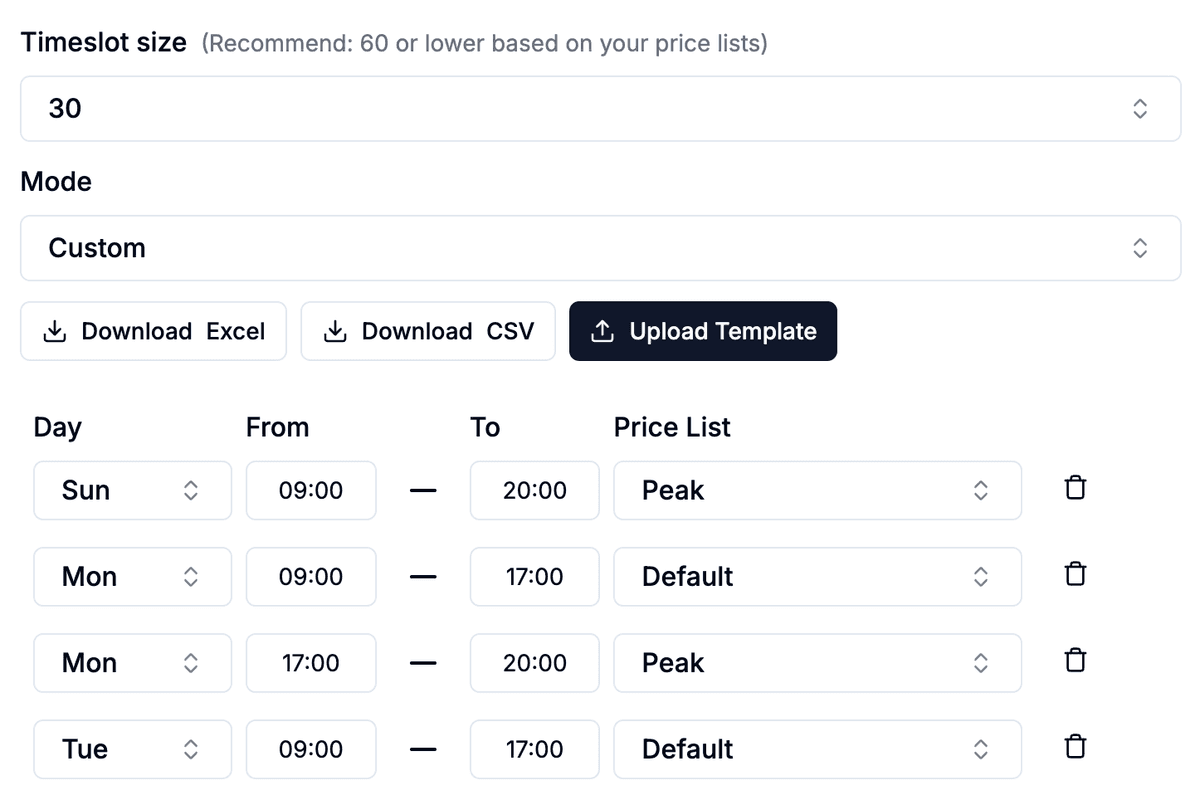
SKEQ lets operators build separate price lists and assign each one directly to the relevant time slots. A Tuesday afternoon slot shows the off-peak rate automatically. A Friday evening slot shows the weekend premium. A public holiday slot carries its own surcharge without any manual intervention on the day. Customers see one clear price for the time they want — no rate cards to decode, no staff fielding the same pricing questions on repeat.
Everything Ready Before the Group Walks In
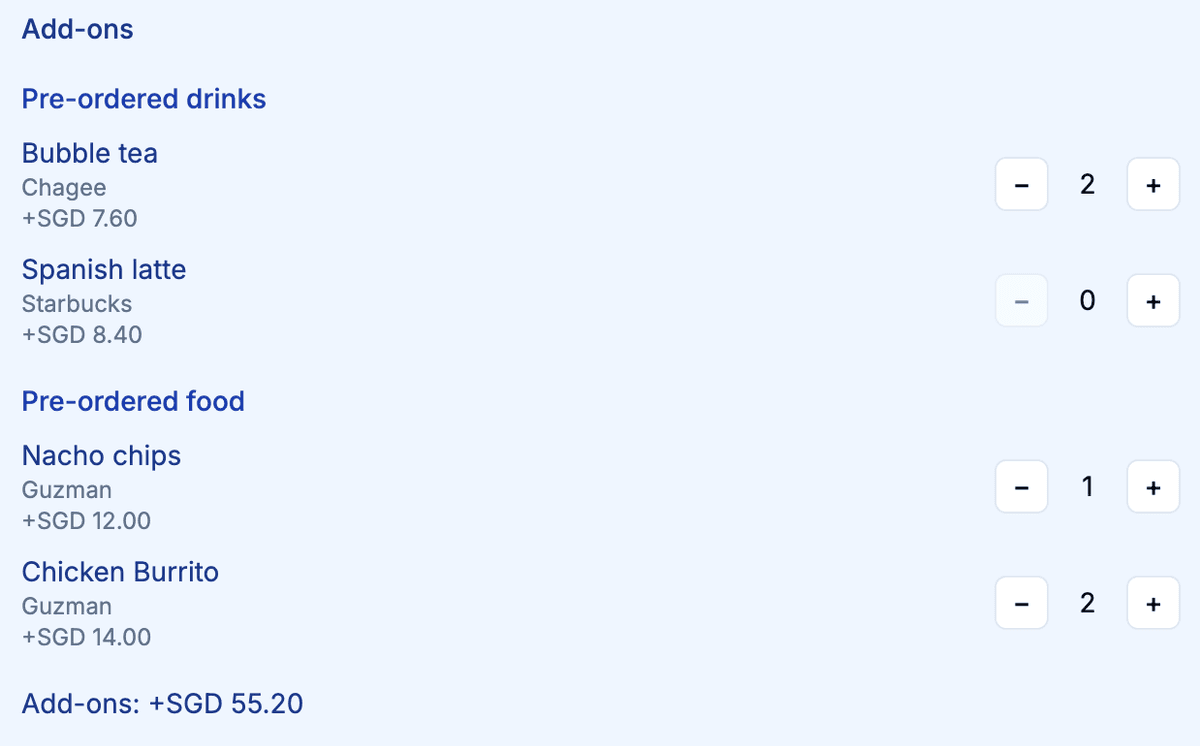
The best gaming sessions start the moment guests sit down — games already on the table, drinks ready to go, snacks laid out. That level of preparation isn't possible when orders are taken at the door. It becomes entirely possible when selections are collected at the point of booking. Advance ordering also opens up what operators can offer. With enough lead time, food and drinks don't have to come from what's already stocked — operators can coordinate with nearby vendors and F&B partners to fulfil orders that wouldn't be possible on a walk-in basis.
Choosing the Right Approval Flow for Your Venue
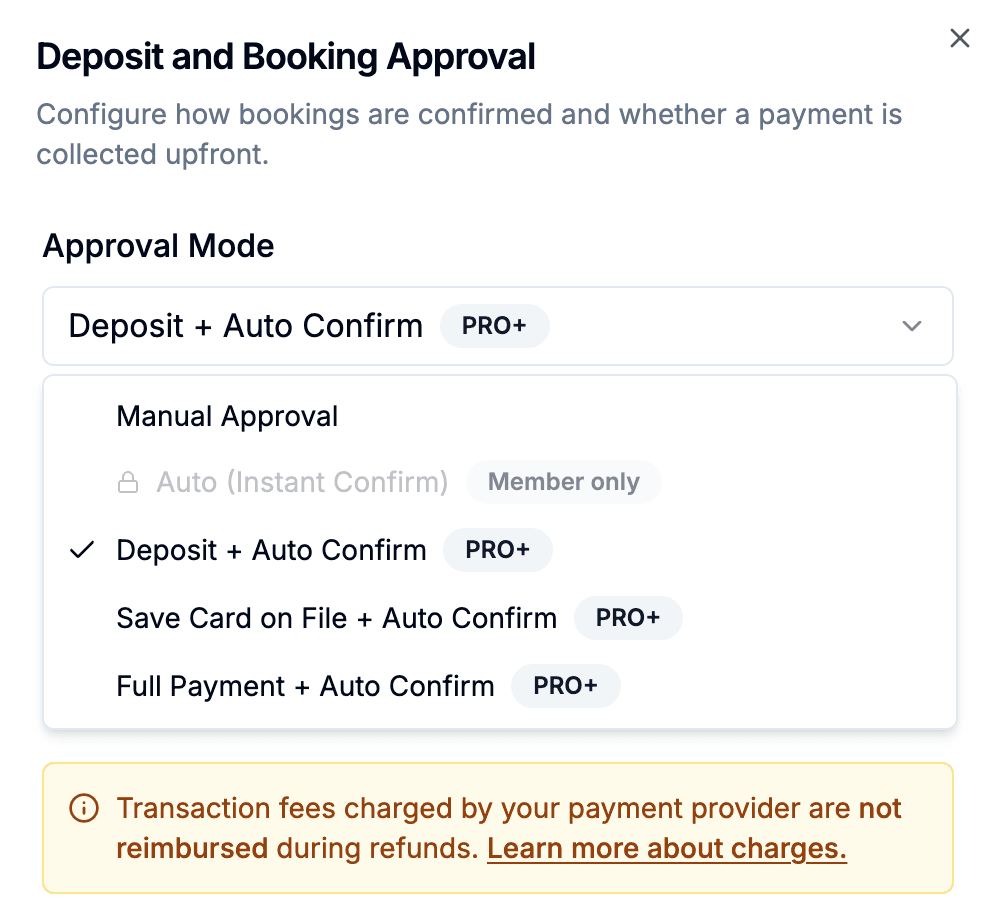
By default, SKEQ sets bookings to manual approval — the operator reviews each request before confirming. For gaming venues with a younger audience, we recommend leaving it exactly there. It keeps the operator in control without putting a financial barrier in front of every booking. If no-shows become a recurring issue, deposit-based auto-approval and card-on-file options are available to add that layer of commitment — both are Pro plan features.
Making Space for Corporate Bookings Without the Conflict
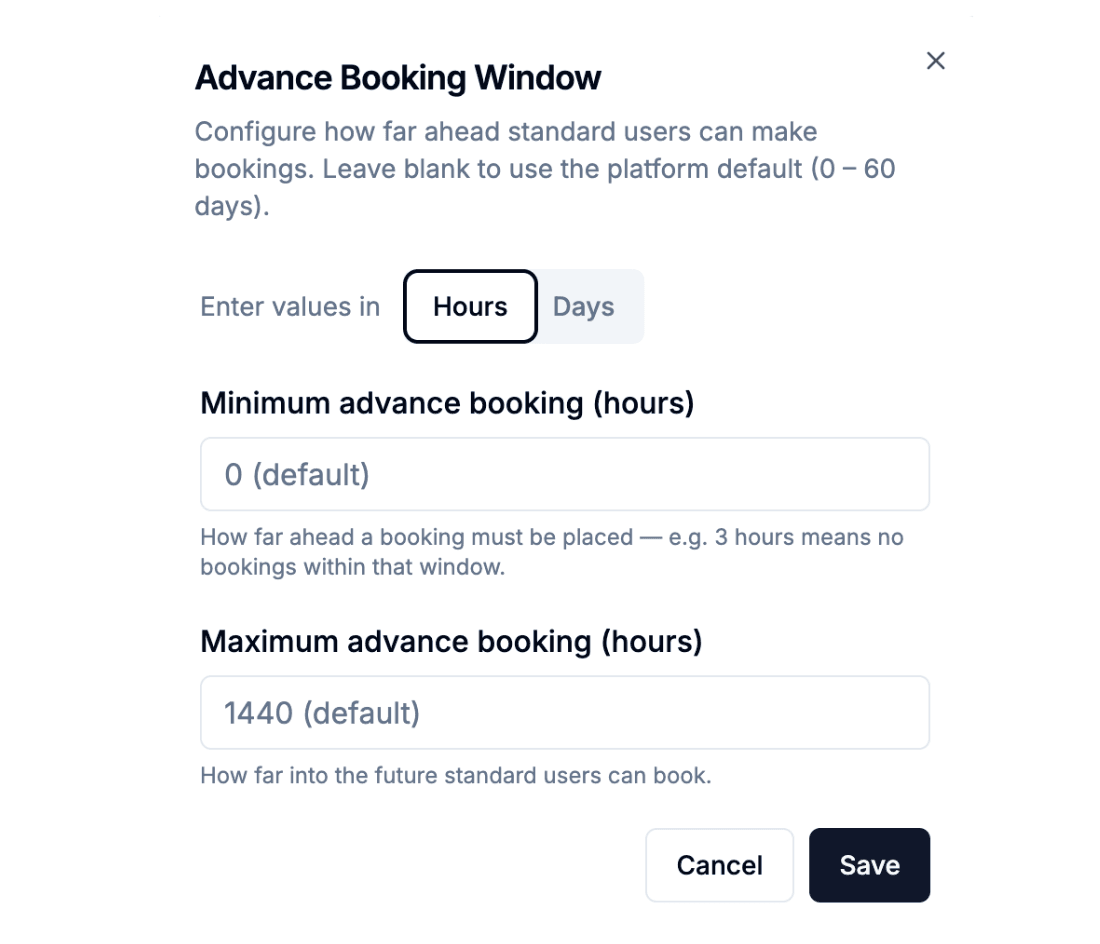
Corporate and birthday buyouts are high-value bookings — but they need the whole room, and regular bookings don't stop coming in just because a corporate enquiry is in progress. The cleanest way to manage this on SKEQ is with two separate calendars for the same room. The first calendar handles regular walk-in and advance bookings, with an advance booking window set between 3 hours and 30 days. The second is reserved for corporate enquiries, with a window set from 30 to 60 days out — far enough ahead that regular bookings haven't filled the date yet, giving operators the runway to assess, confirm, and protect the slot before it gets complicated.
Let Your Staff Help Run the Bookings
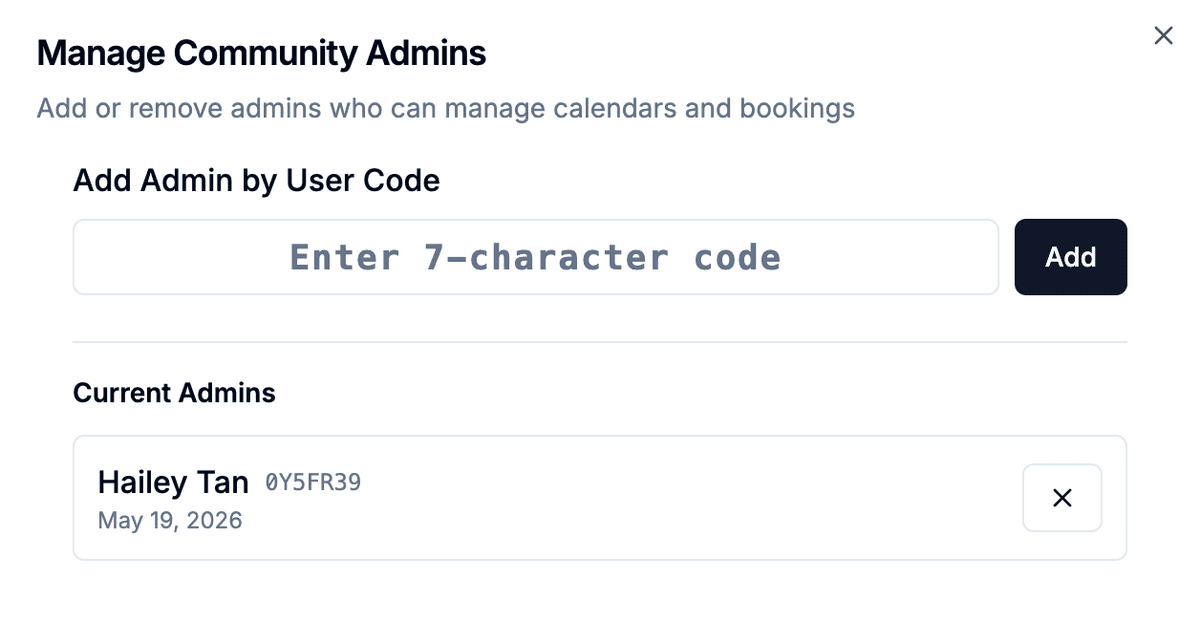
Unlike a solo operator running a home dining experience, gaming venues typically have staff on the floor. SKEQ's co-admin feature lets venue owners assign team members to manage bookings directly — approving requests, updating availability, and handling the day-to-day without everything routing through the owner. It keeps operations moving even when the owner isn't on shift — and ensures that manual approval stays practical at volume rather than becoming a bottleneck.
Keep the Conversation Going Between Visits
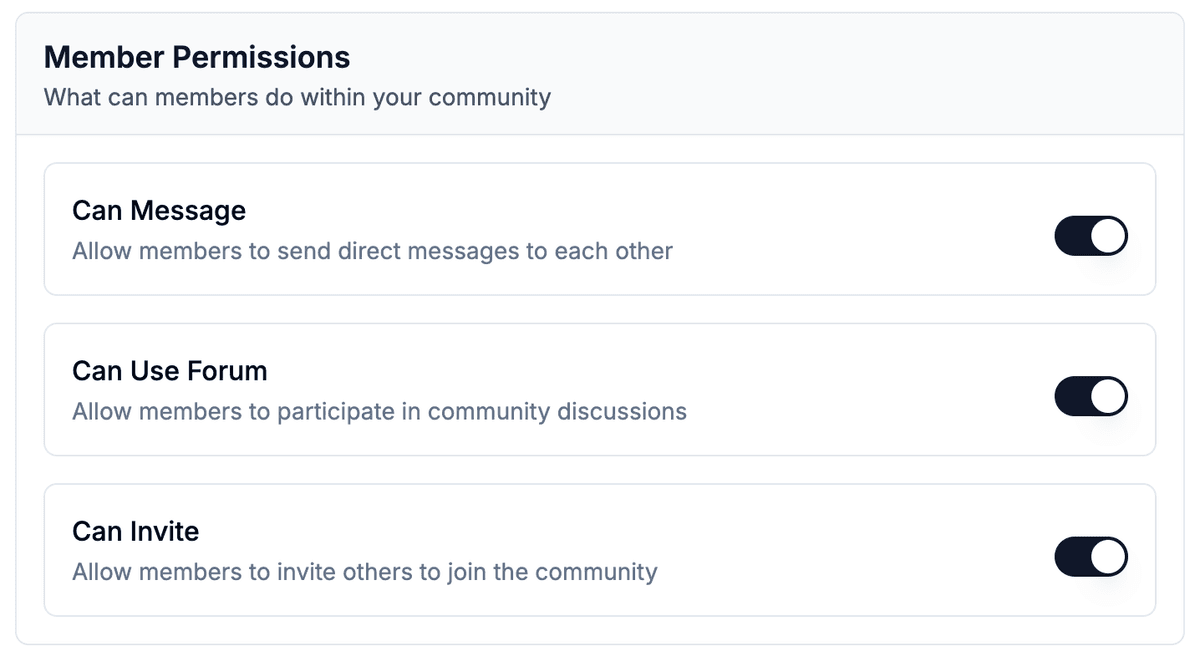
A younger audience doesn't just play — they talk about it online. New game releases, upcoming competitions, event announcements — this is the content that keeps a gaming community engaged between sessions. The SKEQ community forum gives operators a dedicated space to post it, and members a place to respond, organise, and stay connected to the venue. Because access is limited to members only, the conversation stays relevant and in context — not scattered across WhatsApp groups and Instagram comments that the operator has no presence in. It turns the booking page into a community hub that regulars return to even when they're not booking.
Sell Credits, Lock In Regulars
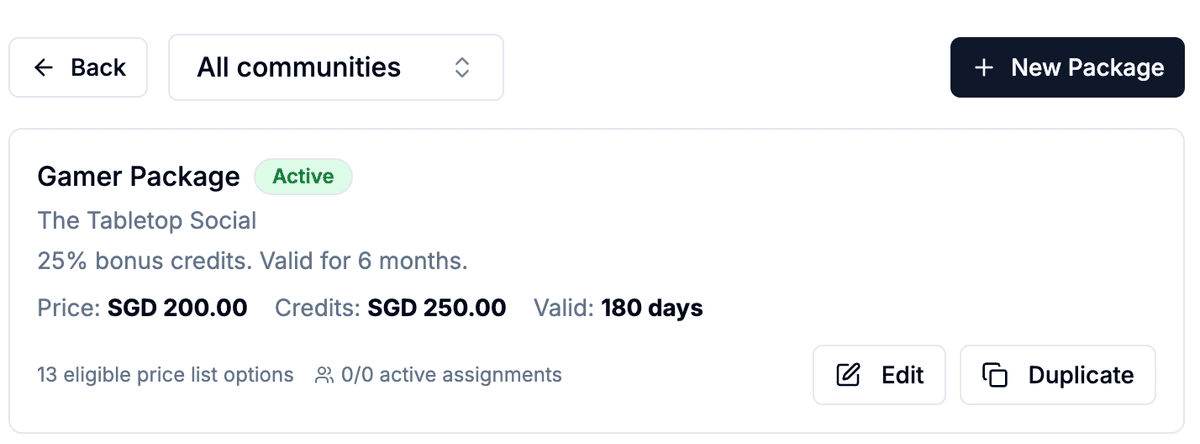
SKEQ's packages feature lets operators sell discounted credit bundles to members — a set amount of credit purchased upfront at a better rate, drawn down across bookings over a defined period. A regular who buys a monthly package commits to the venue before the month even begins, and gets rewarded for it with a lower effective rate per session. Packages can be set to renew automatically, making it effortless for members to stay on. Access is member-only — so the discounted rate stays exclusive, and the incentive to join the community becomes tangible rather than just symbolic.