Small by Design, Complex Behind the Scenes
Coordinating Shared Seatings Is More Complex Than It Looks
Home-based private dining may look intimate and simple, but running it smoothly requires careful coordination behind the scenes. Unlike traditional restaurants, many sessions depend on hitting a minimum number of guests before they become viable. A chef may need at least four guests for a sitting to proceed, which becomes complicated when smaller groups are allowed to share the same session. Coordinating different parties manually — shifting dates, filling empty seats, and keeping everyone aligned — quickly becomes time-consuming for a small operation.
A No-Show Isn't Just an Empty Seat
At the same time, no-shows and late cancellations carry real consequences. Ingredients are often purchased and prepared specifically for each session, with some dishes requiring days of advance preparation. A missed booking is not just an empty seat, but wasted produce, prep time, and revenue that cannot easily be recovered.
Preparation Depends on Knowing Who's Actually Coming
Because most home dining businesses operate with lean teams, preparation becomes everything. Knowing guest counts, preferences, and booking certainty ahead of time helps hosts plan purchases accurately, reduce waste, and deliver a smoother, more personal dining experience.
How SKEQ Supports Home-Based Dining
Minimums That Guests Can Actually See
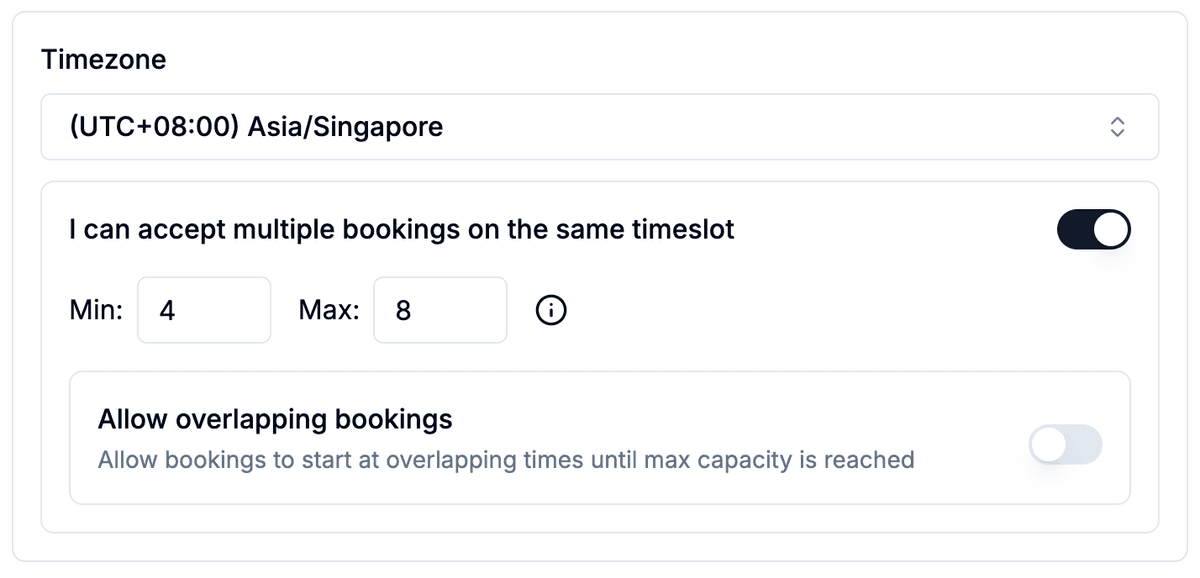
SKEQ allows hosts to set minimum and maximum guest counts for each dining session while accepting bookings from multiple parties. Guests can immediately see whether a session is confirmed or still building — yellow slots show sessions that still need more guests, while green slots indicate the minimum has been met. This gives guests a clearer picture before booking. They can see how many seats remain, how many more guests are needed, and whether the session fits their group size — reducing uncertainty and eliminating the need for manual coordination behind the scenes.
Keep Every Seating Operationally Aligned
For shared dining sessions, SKEQ can automatically prevent overlapping menu selections. If the first confirmed booking selects a 6-course menu, later guests joining the same session will only see the 6-course option available. This helps hosts avoid operational complexity during service, keeping preparation streamlined and ensuring every guest within the same seating shares a consistent dining experience.
Gather the Details Before Service Begins
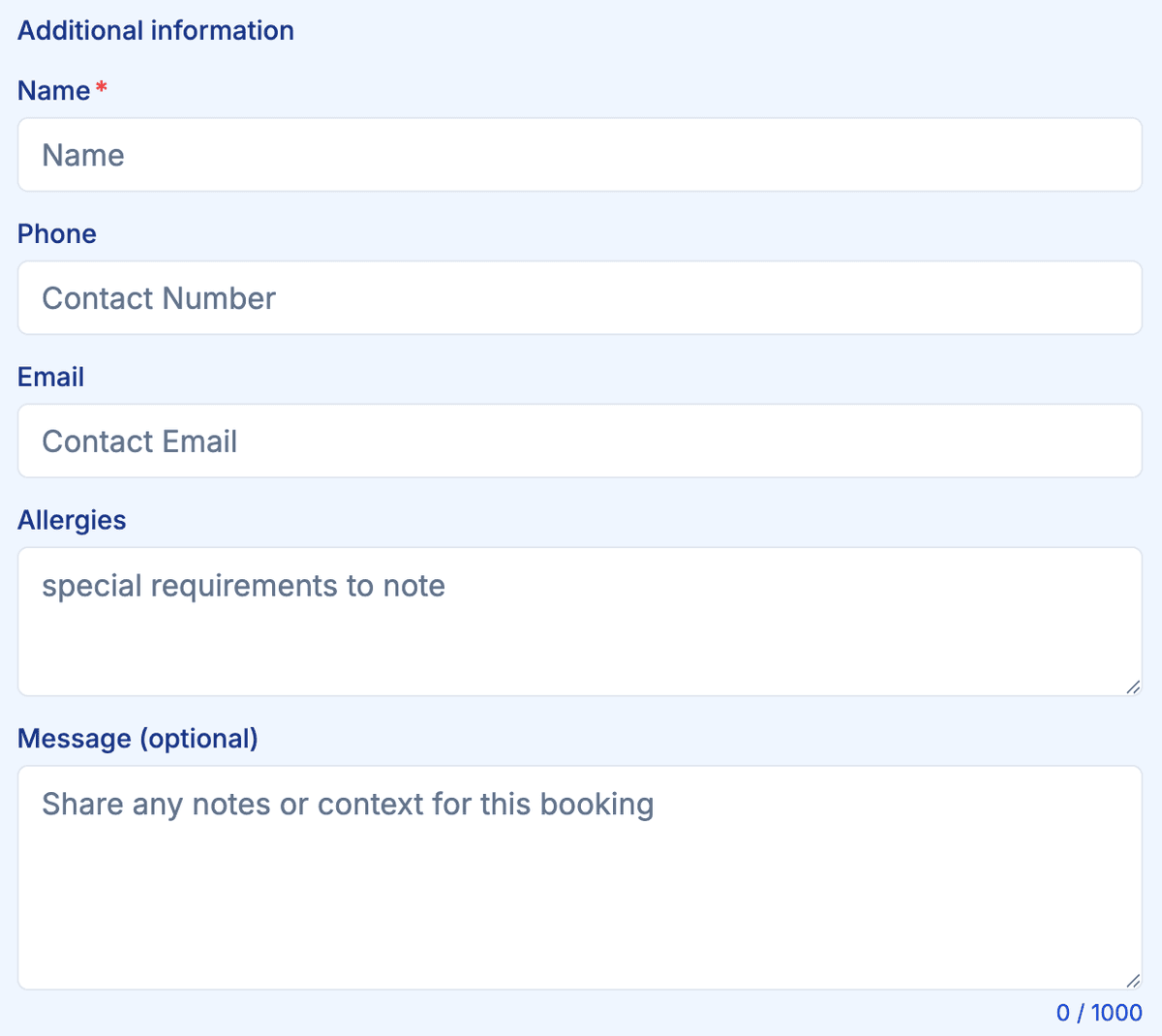
SKEQ's customizable booking forms help hosts collect the information they need before confirming a reservation. From dietary restrictions and allergies to contact details, dining preferences, or special occasions, guests can provide important details upfront. This allows home dining operators to prepare more accurately, personalize the experience, and reduce back-and-forth communication before the session.
Capture Menu Choices and Add-Ons Upfront
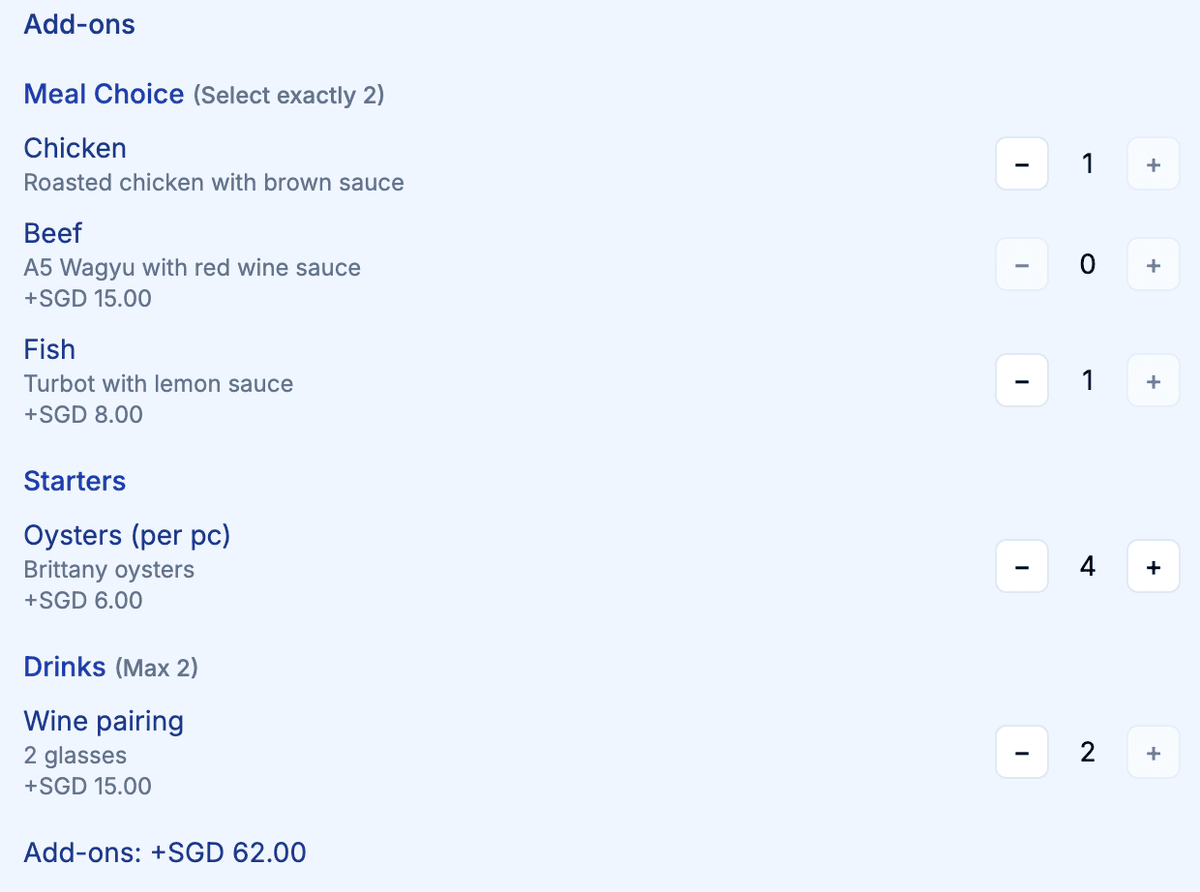
SKEQ's add-ons and supplements feature allows guests to customize their dining experience during booking. Hosts can offer selectable options such as meal upgrades, premium ingredients, or wine pairings, with pricing automatically reflected in the booking total. By collecting these selections ahead of time, hosts can better plan purchases, prepare ingredients accurately, and deliver a smoother dining experience on the day itself.
Configure How Bookings Are Confirmed
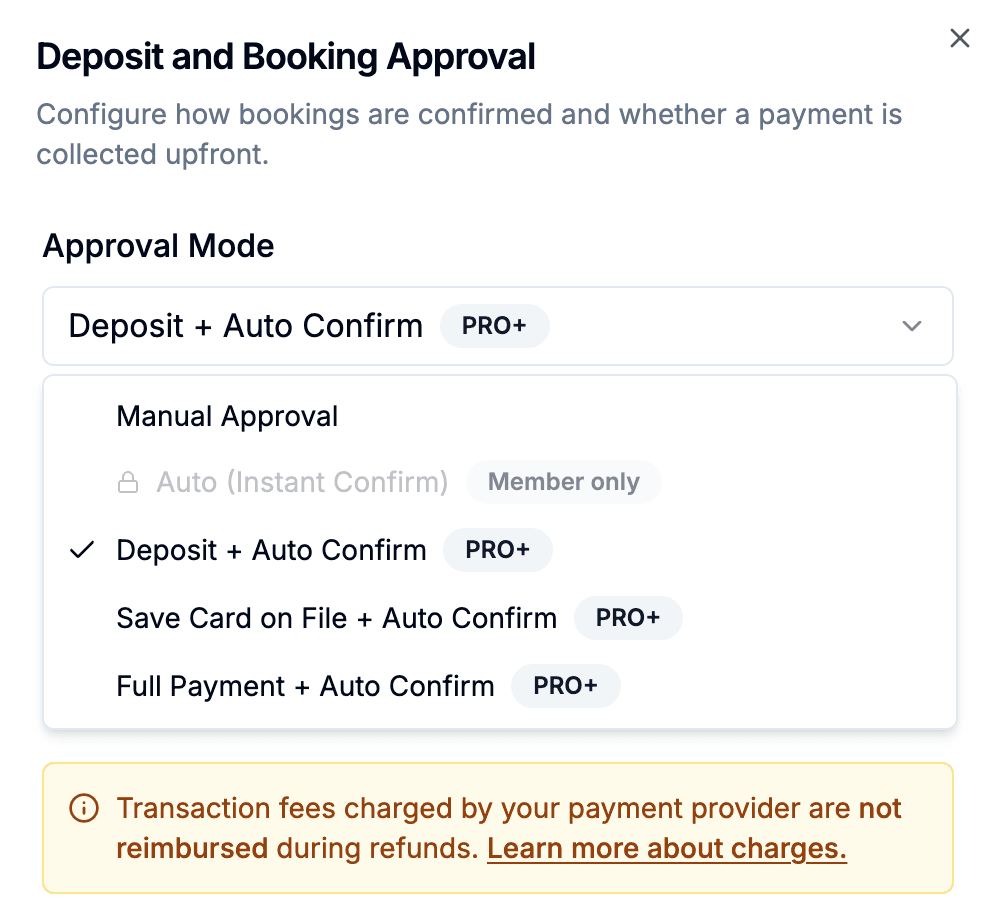
SKEQ gives hosts flexibility in how they accept and confirm reservations. Businesses can choose between manual approval, auto-approval with deposits, or auto-approval with a saved card on file. For home-based private dining, we recommend using card-on-file confirmations with a percentage based commitment amount configured for late cancellations. This creates a smoother booking experience for guests while still protecting hosts against last-minute no-shows and preparation losses.
Set Fair Cancellation Policies Around Real Costs
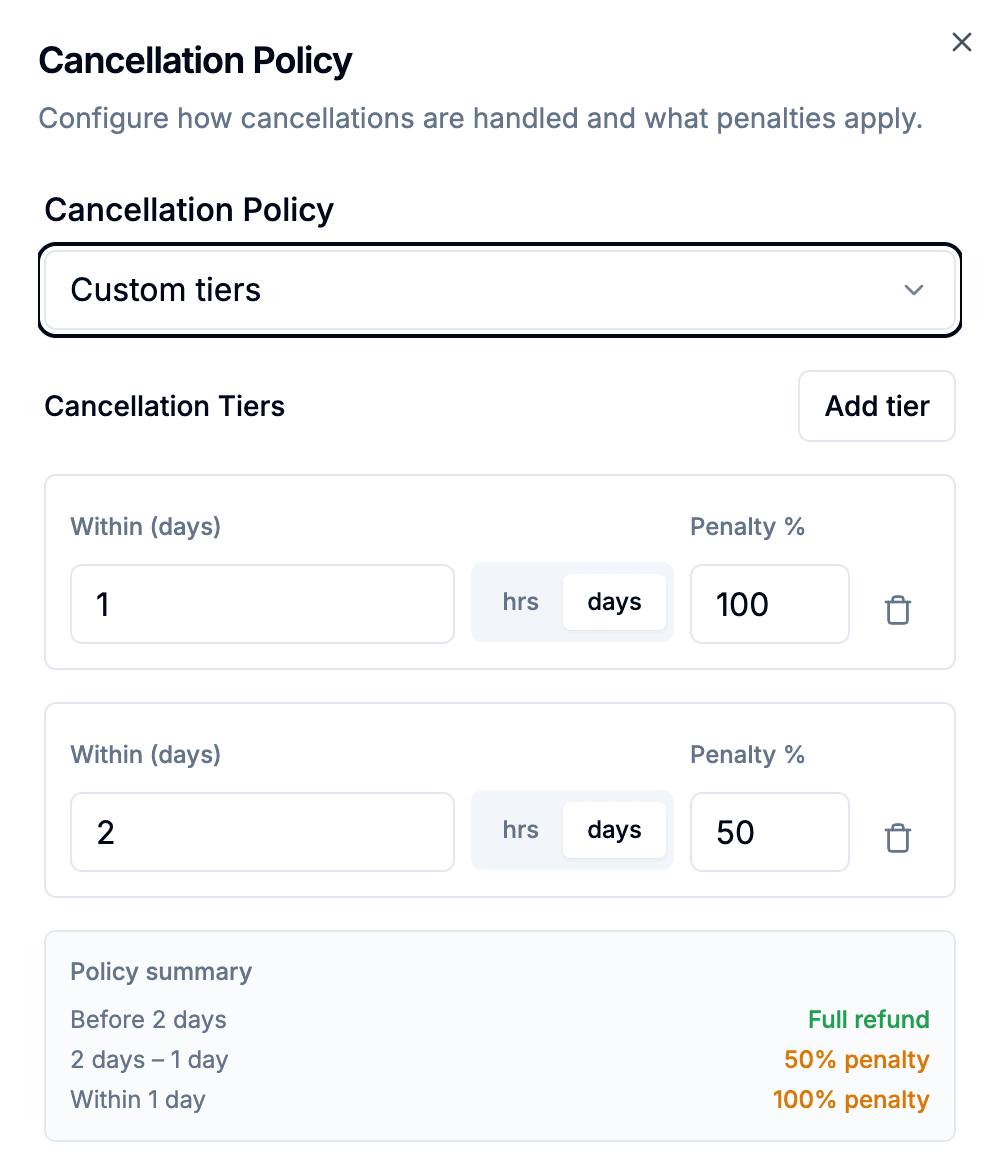
SKEQ allows hosts to configure tiered cancellation policies based on how close the cancellation is to the dining session. For example, guests may incur no charge when cancelling several days in advance, a partial commitment fee once ingredients are purchased, and a full charge when preparation work has already begun. For home-based dining, we recommend aligning cancellation policies with when actual costs are incurred. This creates clearer expectations for guests while helping hosts protect the time, preparation, and ingredients invested into each session.
Build Trust Beyond the First Visit
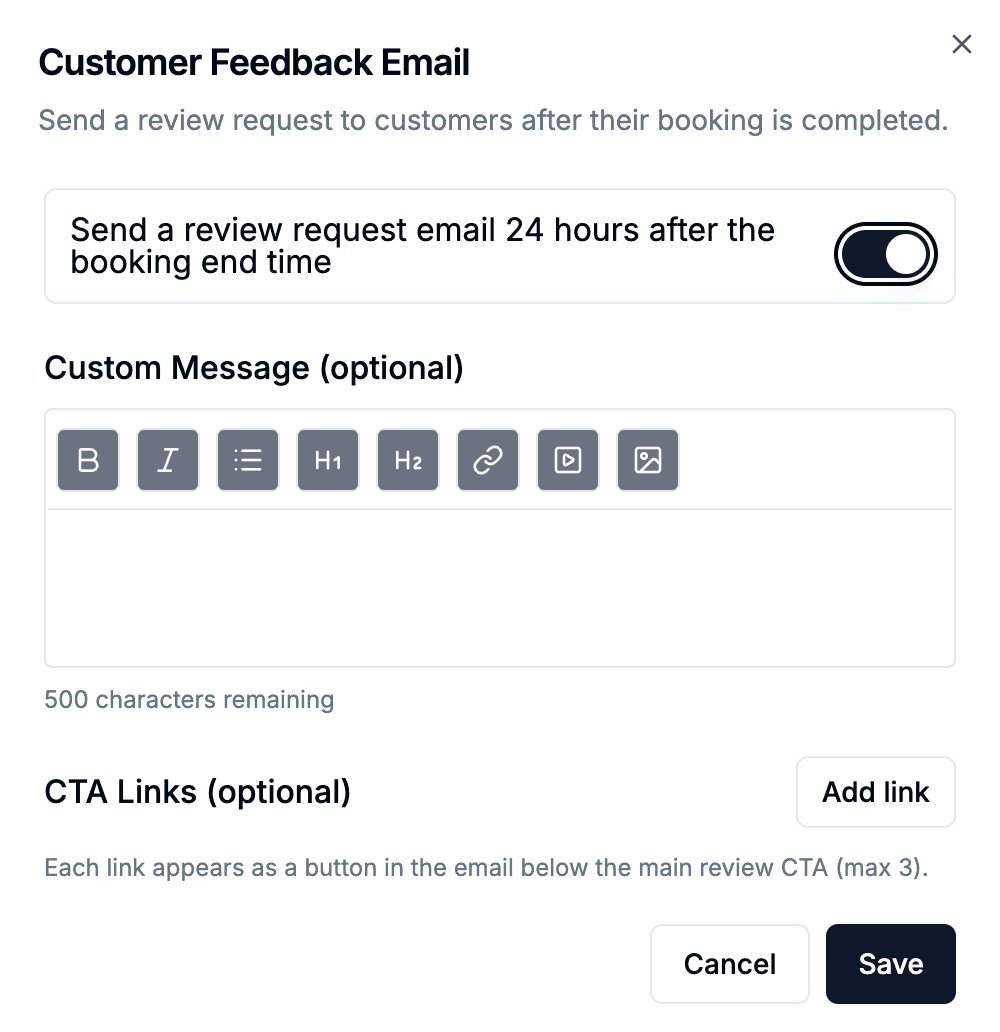
For home-based dining businesses, trust and word-of-mouth matter deeply. SKEQ helps hosts proactively follow up with guests after their dining experience through customizable post-booking emails. Hosts can encourage guests to leave reviews on SKEQ, follow their socials, add the calendar to favourites, or share feedback on platforms such as Google and Facebook. Over time, this helps build credibility, strengthen repeat bookings, and grow a loyal community around the dining experience.
Price Every Sitting with Purpose
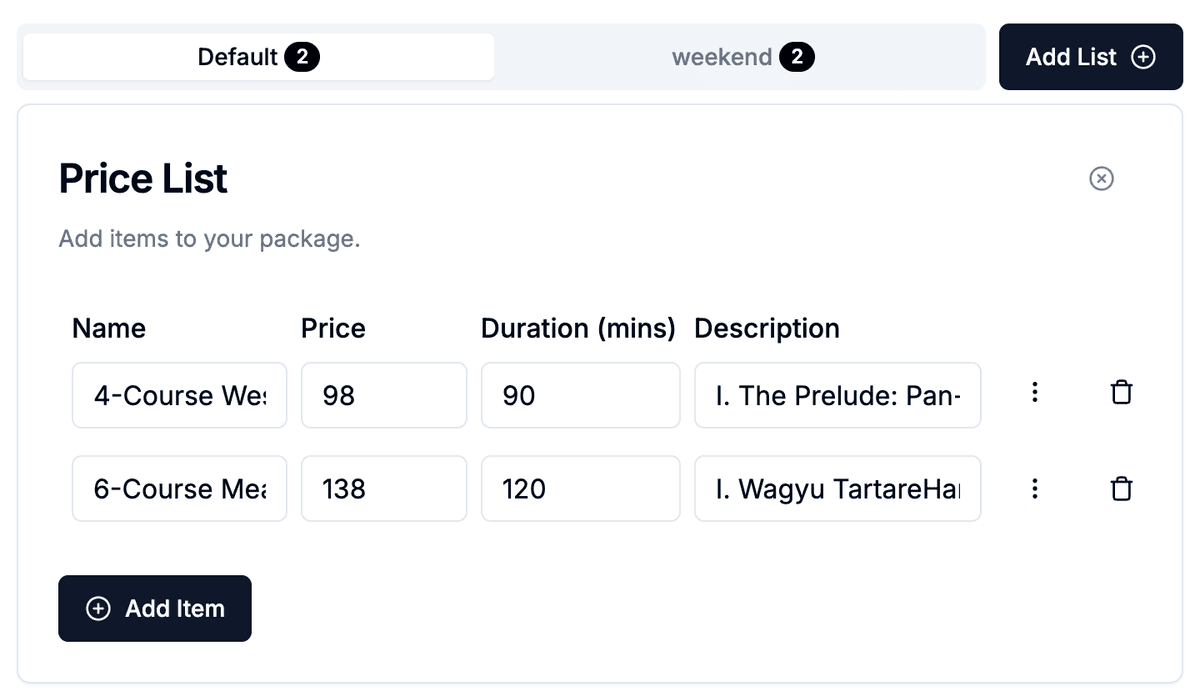
A home dining experience isn't one-size-fits-all — and your pricing shouldn't be either. SKEQ allows each calendar to carry multiple price lists, each of which can be assigned to individual time slots. A Friday evening tasting menu, a weekday lunch at a gentler price point, and a Mother's Day special can all live on the same calendar — each slot showing only what's relevant to that sitting.