Property Agents & Real Estate Teams
Every Listing Bookable. Every Lead Kept Warm.
Property agents juggle multiple listings, multiple clients, and a viewing schedule that lives across WhatsApp threads nobody can follow. SKEQ gives each listing its own calendar, lets clients self-book viewings, and keeps your community of leads engaged — without a single follow-up message.
The Viewing Is in the Chat Somewhere. Good Luck Finding It.
Coordinating viewings across multiple listings through WhatsApp
An agent managing ten listings at once is managing ten separate conversations — each with its own thread, its own availability, its own set of clients asking the same questions. A client who asks "is the Tampines unit free Saturday afternoon?" has to wait for the agent to check, confirm, and reply. By the time the agent gets back to them, the client has already moved on to the next listing on their shortlist. The viewing that should have happened never does — not because the unit wasn't right, but because the coordination was too slow.
Clients lose track of which unit is which
When availability is shared as a photo in a chat, clients are left trying to remember which picture belongs to which unit, which floor, which district. Three listings in the same week and the details blur together. An agent who can give a client a dedicated booking page per listing — with the unit details, the available slots, and the booking confirmation all in one place — removes the cognitive load entirely. The client knows exactly what they're viewing and when, without having to piece it together from a thread.
Keeping leads warm without being pushy
A client who viewed a unit six weeks ago and didn't commit isn't necessarily gone — they might still be in the market, waiting for the right listing. But staying in touch without a reason to reach out feels forced. A broadcast message to everyone on the list feels impersonal. Agents who have no structured way to keep leads updated end up either going silent and losing the relationship, or over-messaging and damaging it. Neither is a good outcome for a business built entirely on trust and timing.
How SKEQ Supports Property Agents
Every Listing Its Own Calendar — Every Slot Ready to Book
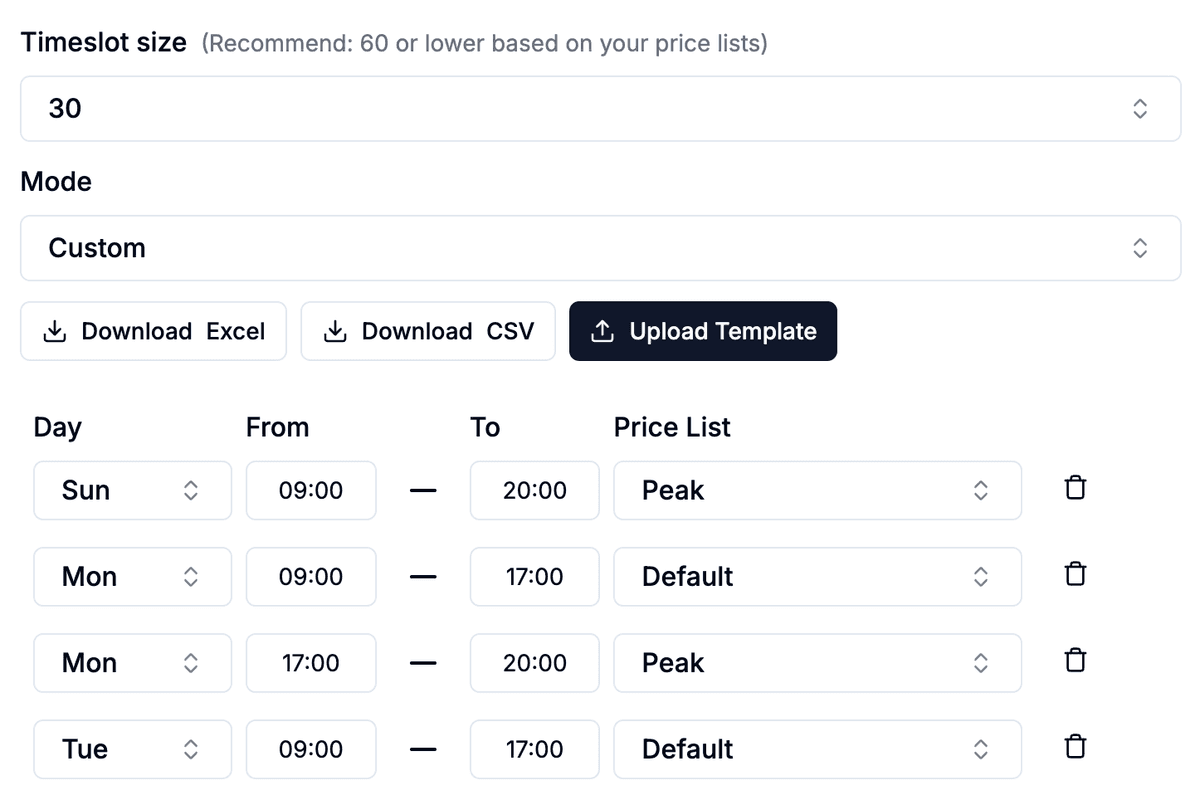
Each property listing gets its own SKEQ calendar — its own viewing slots, its own availability, its own booking page that clients can share, save, and return to without confusion. A client who receives a link for the Tampines three-room knows exactly what they're booking and when, without scrolling through a chat to piece it together. Configure viewing slots in 30-minute blocks — short enough to fit multiple viewings into a single afternoon, clear enough for clients to know what they're committing to. Whether to allow multiple bookings per slot depends on the property and the agent's preference. A popular listing during an open house weekend can run multiple viewings in the same window. An exclusive unit where individual attention matters runs one group at a time.
Know Your Viewer Before the Viewing
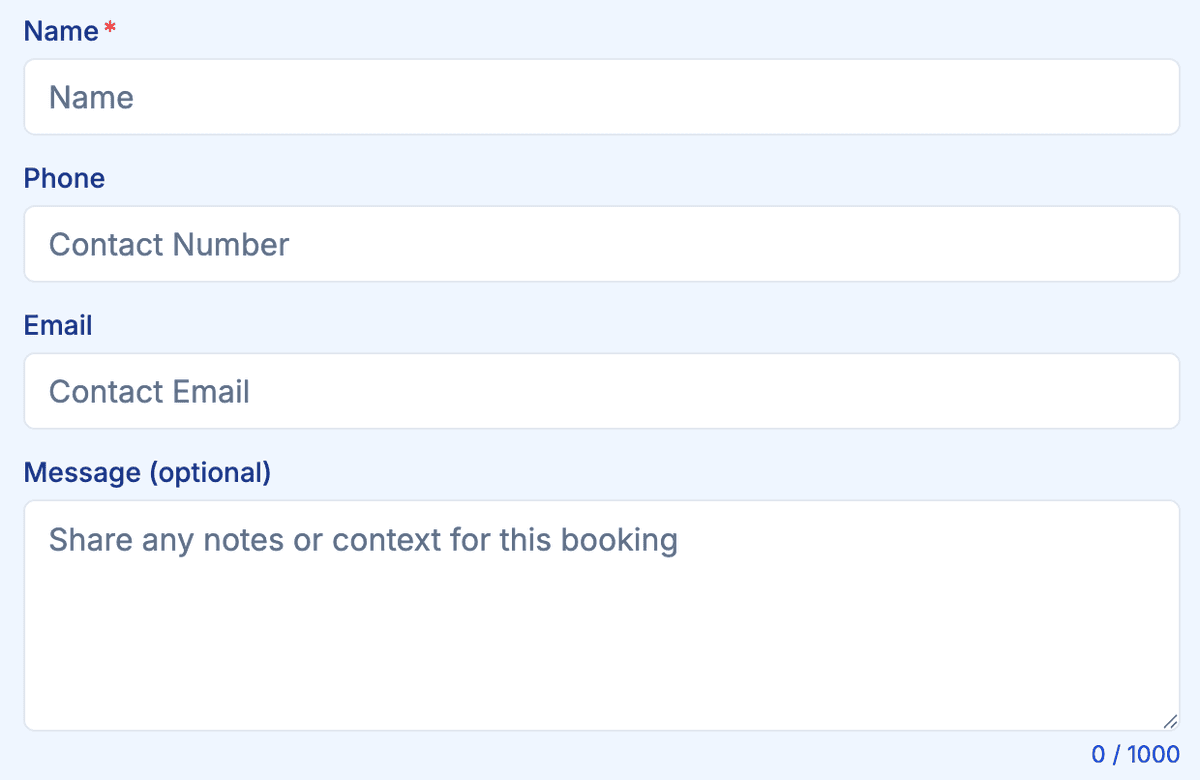
A viewing is not just a showing — it's a conversation that works best when the agent already knows who they're talking to. A buyer looking for a home to live in needs a different pitch from an investor evaluating yield. A first-time buyer has different concerns from someone upgrading from a three-room. Collecting that context before the viewing means the agent shows up prepared, not probing. SKEQ's custom booking form captures the essentials at the point of booking — purpose, timeline, budget range, and any specific requirements the viewer wants to flag. By the time the agent arrives at the unit, they already know what matters to this person and can tailor the walk-through accordingly.
One Page for Every Listing You Carry
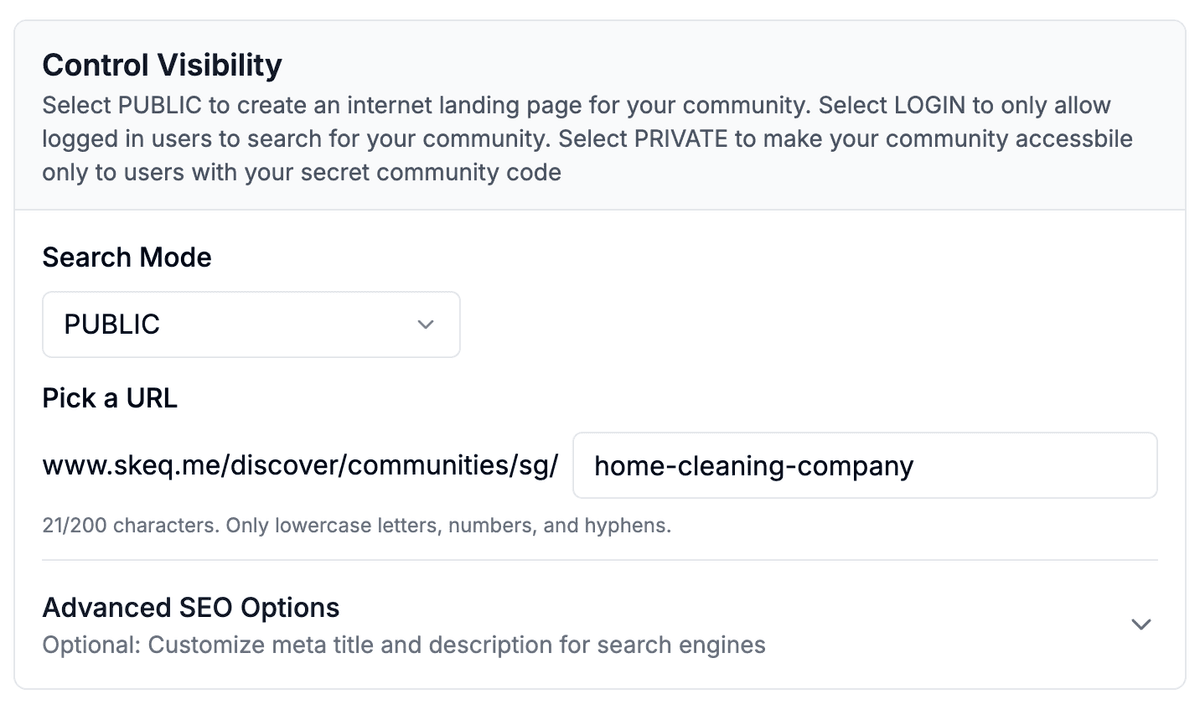
Group every listing calendar under a single SKEQ community and the agent gets a public landing page that works like a personal property portal. Every listing the agent carries is visible in one place — each with its own details, its own available viewing slots, and its own booking flow. Clients browsing the page can filter by availability to find which listings have viewing slots open on the days that work for them. Instead of asking "what's available this weekend?" and waiting for a reply, they find the answer themselves — and book directly. The agent's entire portfolio is live, searchable, and bookable from a single link they can put on their business card, their social media, or their property listings.
Keep the Viewing Window Tight — Move Listings Faster
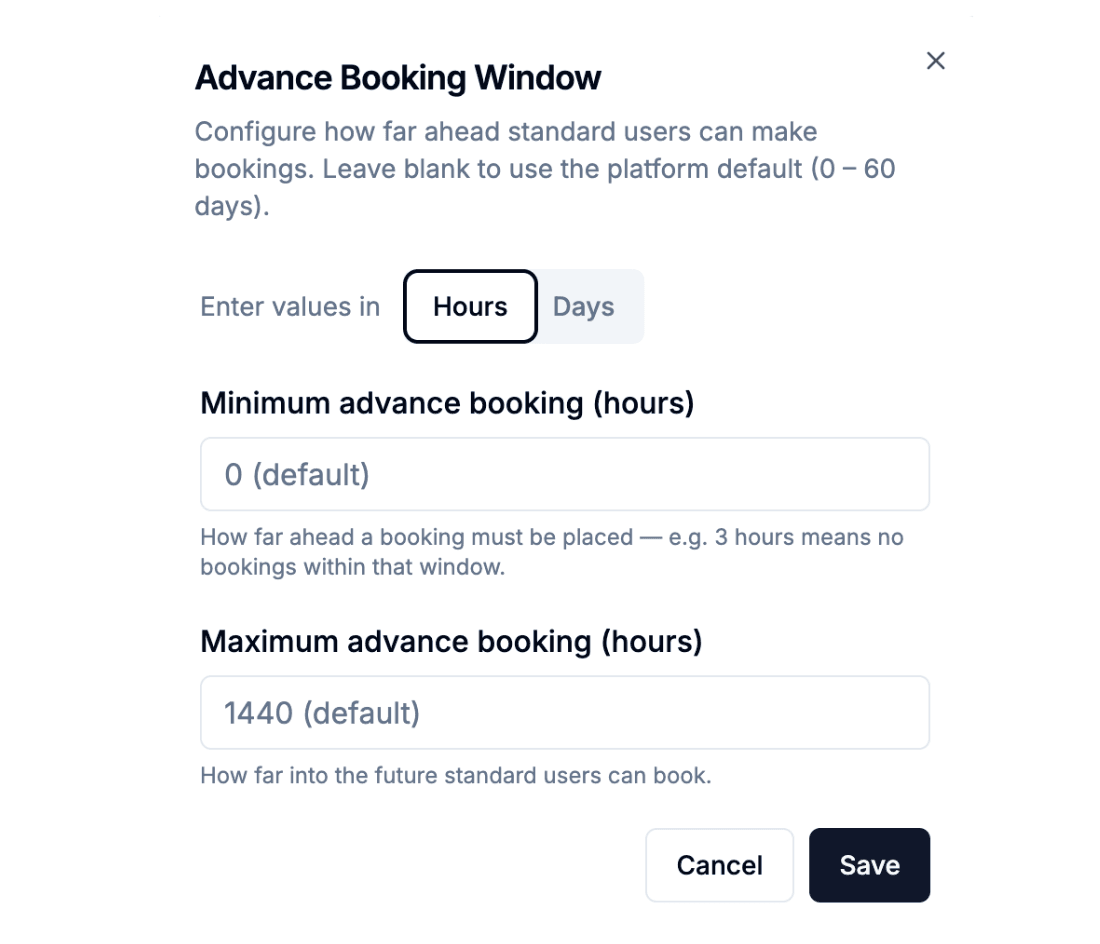
A 60-day booking window works well for services where planning ahead matters. Property viewings are different — an agent who wants to move a listing quickly needs clients making decisions in the near term, not browsing slots two months out and parking the decision for later. We recommend setting the advance booking window to 14 days or less for active listings. It keeps the viewing pipeline moving, creates a natural sense of urgency without the agent having to manufacture one, and ensures the calendar reflects only what's genuinely available in the near term. A client who sees three open slots in the next week is more likely to pick one than a client who sees a calendar stretching out two months with plenty of room to defer.
Stay in the Picture Without Sending Another Message
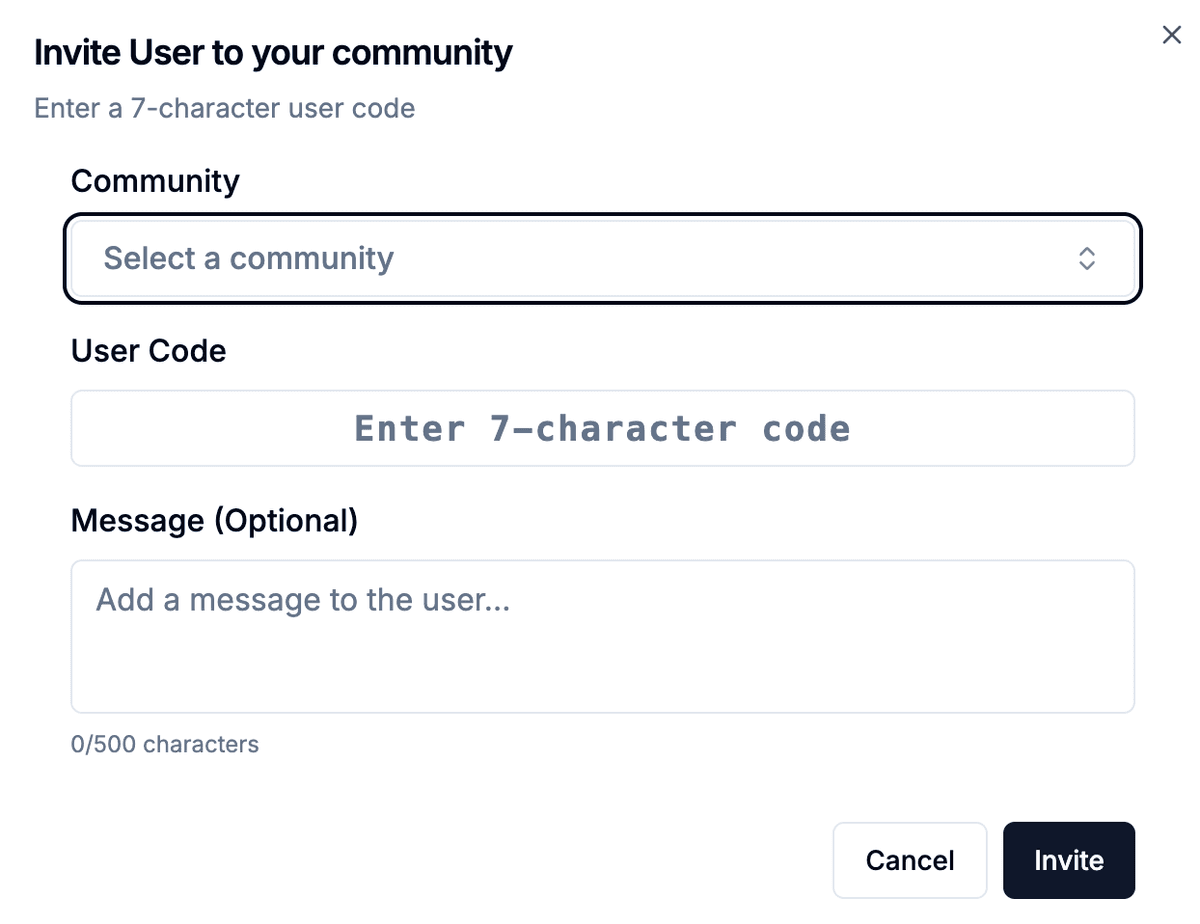
A client who viewed a unit six weeks ago and didn't commit is still a lead. They might still be in the market — waiting for the right listing, the right price, the right timing. The challenge is staying present without being pushy. A follow-up message with no new information feels like pressure. Silence feels like the agent has moved on. Inviting clients to join the community gives them one place to check whenever they're ready. New listings appear in the community the moment they're added — no search needed, no trawling through property portals. A client who joined three months ago can open their communities tab, see what's new, and book a viewing on a listing that wasn't available when they first looked. The agent didn't send a message. The listing found the lead.
Share What You Know — Without Opening a Group Chat
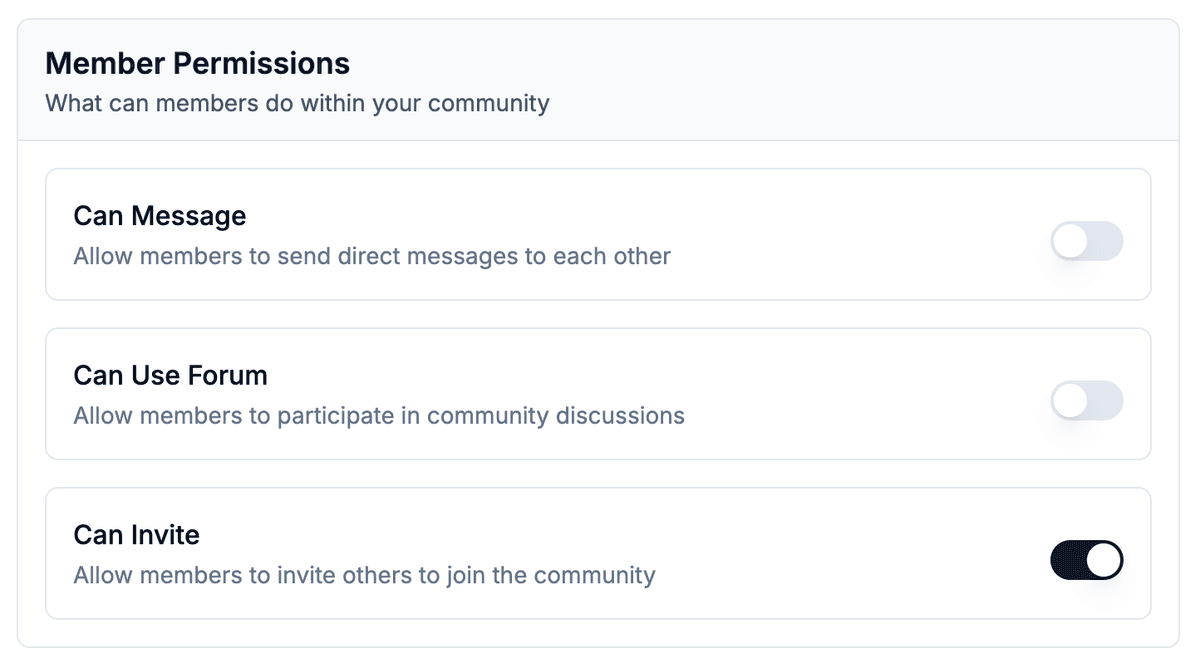
A property agent who shares useful information — a new condo launch, a market update, investment commentary, a neighbourhood analysis — stays top of mind with their community without it feeling like a sales push. The SKEQ community forum gives agents a space to post that content directly to the members who have already shown interest in their listings. For property agents, the forum works best as a one-way channel — the agent posts, members read. Allowing open member posting introduces noise the agent can't control and conversations that may not reflect well on their professional profile. SKEQ's community settings let operators control who can post, keeping the forum clean and on-brand without shutting the community down entirely.